
Hardware
Built for the aisle.
Managed like a fleet.
Two certified platforms — a slim LED bar for every shelf edge and a controller for the big-impact spots. Both run the ShelfOS agent, update in rings, and report to one console.
Shelf-edge LED bar
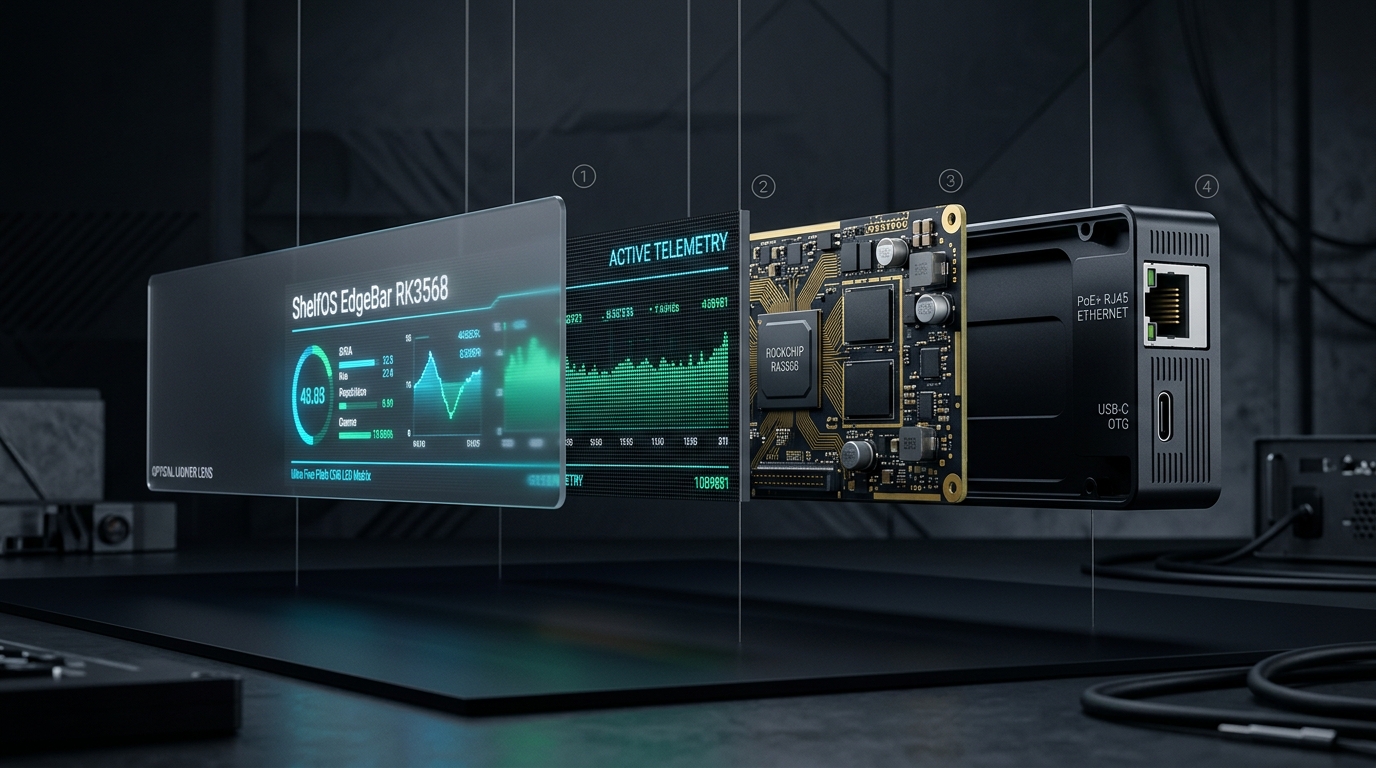
EdgeBar RK3568
A slim LED bar that sits on the shelf rail and runs media and price side by side, with the price zone reserved in the player itself.
Best for: Gondola rails in 60, 90 and 120 cm bays
- Compute
- Rockchip RK3568, quad-core Cortex-A55, Mali-G52 GPU
- Canvas
- 1920 × 158 px ultra-wide
- Layout
- Media zone 65% · protected price zone 35%
- Power
- 24 V DC rail busbar or PoE+
- Network
- Gigabit Ethernet, dual-band Wi-Fi
- Commissioning
- USB-C, store LAN or Android Enterprise QR
NovaStar Taurus LED controller
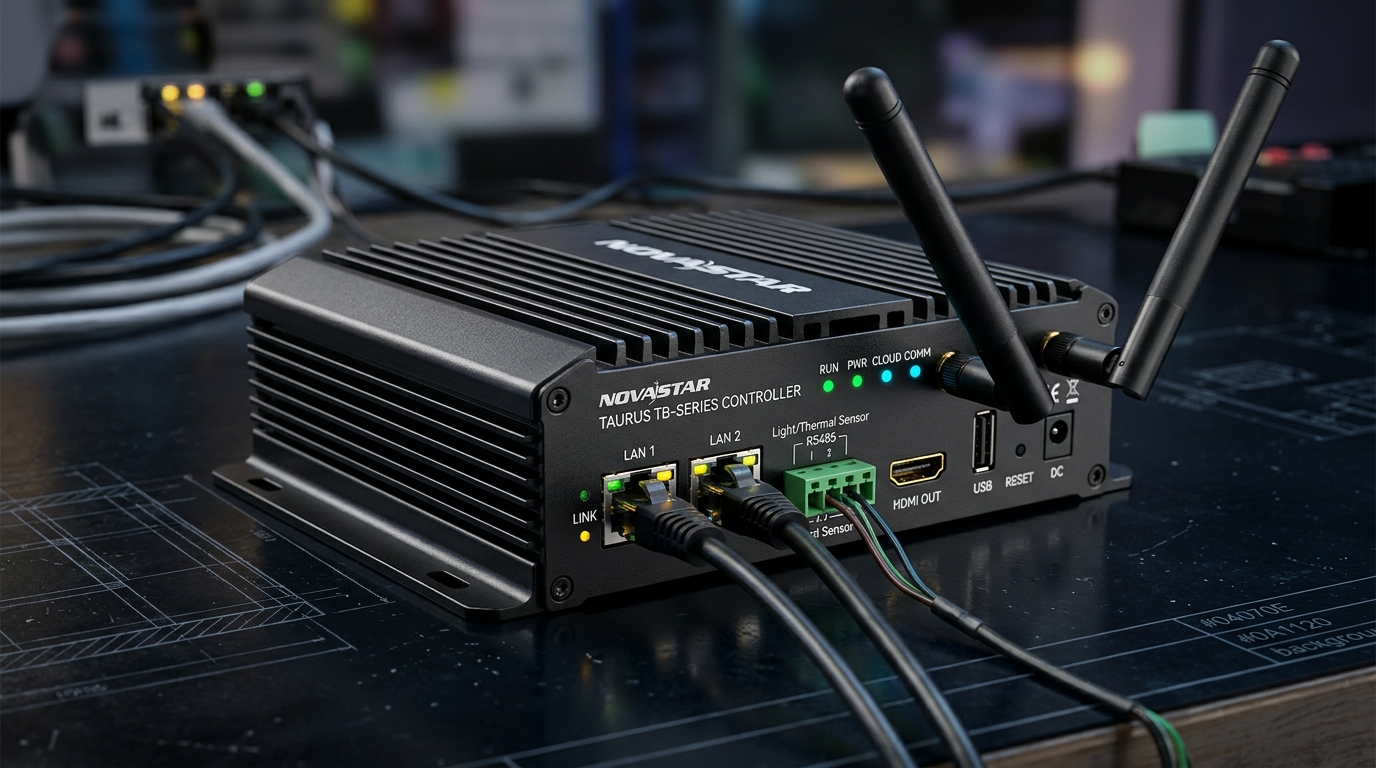
Taurus controller
Drives larger LED cabinets for gondola headers, endcaps and fresh canopies, with brightness and cabinet health reported to the console.
Best for: Headers, endcaps, fresh perimeter and checkout
- Controller
- NovaStar Taurus series, hardware video decode
- Canvas
- 1920 × 360 or 1920 × 540 px panoramic
- Layout
- Campaign canvas with price and Omnibus banner
- Power
- 100–240 V AC or 12/24 V DC
- Network
- Dual Gigabit Ethernet, Wi-Fi
- Commissioning
- Store LAN or USB
Compare
Pick by placement. Run them together.
Most estates mix both: EdgeBar along the rails, Taurus on the ends and headers.
| Attribute | EdgeBar RK3568 | Taurus controller |
|---|---|---|
| Placement | Shelf edge, every rail | Headers, endcaps, canopies |
| Canvas | 1920 × 158 px | 1920 × 360 / 540 px |
| Price on screen | Reserved 35% price zone | Price and Omnibus banner |
| Compute | Rockchip RK3568 | NovaStar Taurus |
| Power | 24 V rail or PoE+ | Mains or 12/24 V DC |
| Commissioning | USB-C, LAN, QR | LAN, USB |
Reference configuration for pilots. Panel options vary by supplier; final specifications are confirmed in your quote.
Commissioning
From box to bay in minutes.
Three ways to bring a bar online. Each one ends the same way: an operator assigns the bar before it gets an identity.
USB-C
Plug a laptop into the bar, run the provisioning tool, and the bar enrols itself as a locked kiosk.
Store LAN
Provision bars that are already mounted, over the store network, without a ladder.
Android Enterprise QR
Scan a QR code issued in the console. The link inside expires after 30 minutes.
Lifecycle
Every bar, from enrolment to retirement.
- 01
Enrol
A new bar requests a one-time claim. An operator assigns it to a store and rail; only then does it receive a device certificate.
- 02
Update in rings
New releases go to a canary ring first, then pilot stores, then the estate — each step gated on health.
- 03
Roll back
Bars keep the previous release and return to it automatically if the new one misbehaves.
- 04
Retire
Revoke a device in the console and its certificate stops working everywhere.
Keeps playing offline
Bars hold their schedule and queue their reports locally, then sync when the connection returns.
Shares files in-store
Bars fetch content from each other over the LAN, so a store does not download the same file fifty times.
Watched updates
A watchdog checks each new release after install and returns the bar to the previous one if it fails.
See the hardware in your aisle.
We bring reference bars and a controller to your pilot store and commission them with your team.